Find the keywords your app can actually win.
Peak ASO is App Store Optimization for indie iOS developers and small studios. It measures popularity, difficulty and your rank for every keyword, every day, watches your competitors and reviews, and turns it all into the next change to your name, subtitle and keyword field.
Top 200
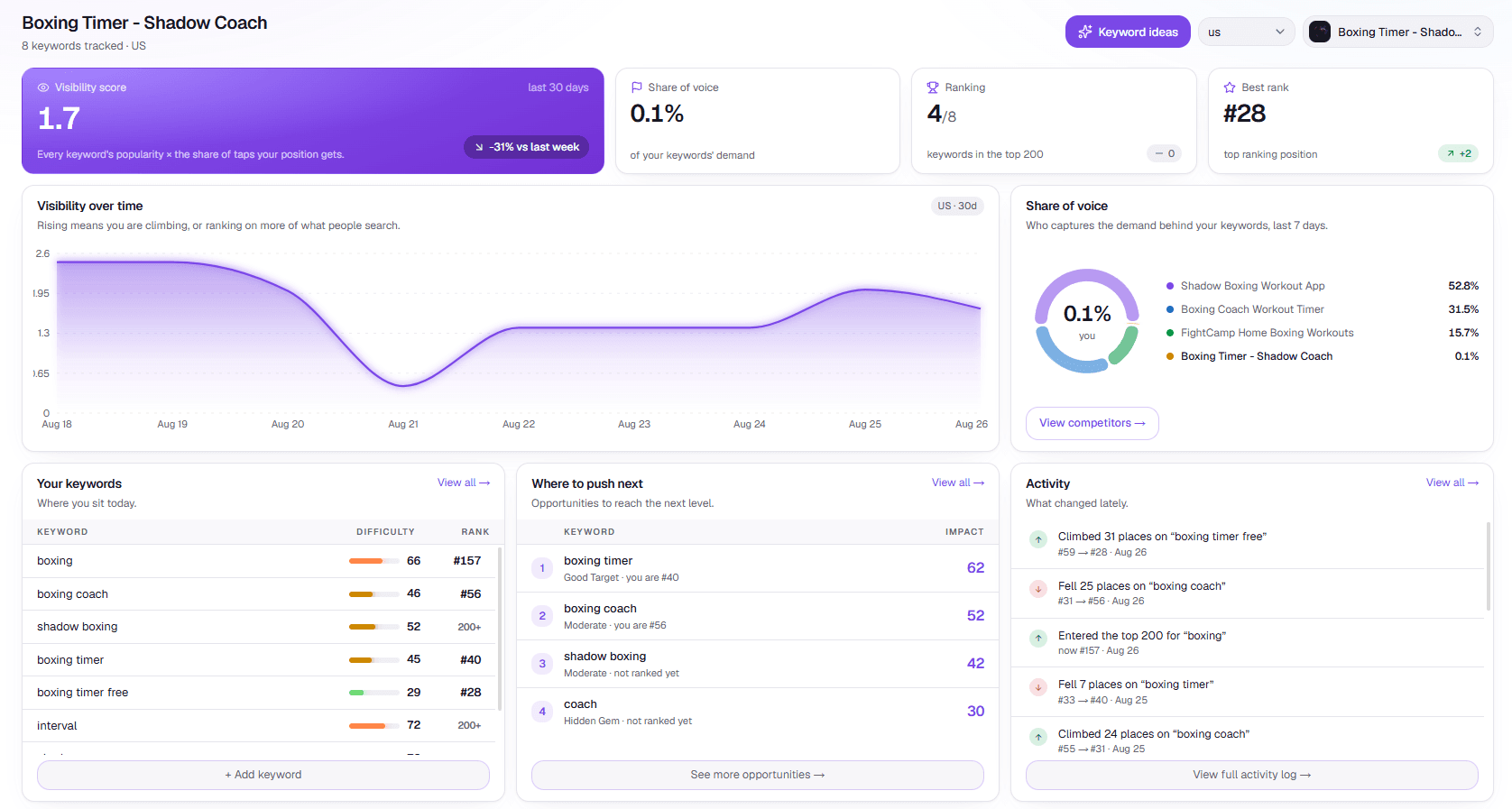
your rank for every tracked keyword, measured daily
Per storefront
you choose the countries; each one is measured separately
30 · 30 · 100
characters of name, subtitle and keyword field, fitted and checked
11 MCP tools
so Claude can read your data and track new terms
Who it's for
For people who market their own apps
No ASO team, no agency budget — just you, your app and 160 characters of metadata that decide whether search finds it.
Indie iOS developers
You build, ship and market alone. Peak ASO does the daily measuring, so your time goes into deciding instead of searching the store by hand.
Small studios
Several apps, several storefronts. One place for every keyword, competitor and campaign, with the history of what changed.
Apps before launch
Not live yet? Start a research project from a name, pick your keywords and competitors, and link the listing on launch day.
The problem
Metadata chosen once, by feel, and never checked again
A 30-character name, a 30-character subtitle, a 100-character keyword field. Most indie apps fill them at launch and never find out what worked.
You guess which keywords people search.
Every term gets a popularity and difficulty measurement the moment you add it.
You can't tell which terms are within reach.
An opportunity score weighs demand against the apps already ranking, so you aim where you can land.
Rank changes happen while you're not looking.
Ranks, competitors and reviews refresh daily, and every change becomes an event in your activity feed.
You don't know what to change next.
Insights ranks concrete moves — a subtitle swap, a reachable keyword, an ad to cut — from your own data.
How it works
Three steps, then it compounds
- 1
Add your app
Published or not — a research project starts from just a name. Pick competitors and keywords with mined suggestions.
- 2
We measure daily
Ranks, popularity, competitors and reviews refresh every day, and every change becomes an event you can read.
- 3
Make the move
Insights ranks what to do next — metadata swaps, reachable keywords, ads verdicts — from your data alone.
Features
Everything the store rewards, measured
Computed from public App Store data and, when you connect them, from your own Apple accounts. Estimates are labelled as estimates.
Research
Keyword intelligence
Popularity, difficulty and an opportunity score for every term — measured the moment you add it, refreshed daily.
Act
Metadata builder
Fit your vocabulary into 30 / 30 / 100 characters, see coverage climb, and catch wasted characters.
Track
Rank tracking
Your position in the top 200, every day, on every storefront you track — with the history to prove a trend.
Track
Competitor watch
Their ranks on your keywords, review velocity, releases — and the keywords they win that you don't track yet.
Research
Review themes
What your 1–2★ and 4–5★ reviews keep saying, as recurring phrases you can read in a minute.
Act
Insights
A ranked list of next moves — metadata swaps, reachable keywords, ads verdicts — computed from your own data.
Connect
Real installs
Connect App Store Connect and graph Apple's own daily download numbers next to your visibility.
Connect
Apple Ads manager
Create paused campaigns from your organic data, then get keep / cut / add verdicts from real spend.
Card visuals are schematic, not data.
MCP built in
Ask Claude about your ASO, with your real numbers
Peak ASO ships an MCP server. Claude — or any MCP-compatible assistant — can read your keywords, ranks, competitors, reviews, insights, keyword ideas and metadata draft, and track new terms on the storefronts you choose.
- 1
Create an API key
In Settings → Integrations.
- 2
Add the server
To Claude, or any MCP-compatible assistant.
- 3
Ask in plain language
Every call is scoped to your account; revoke the key and access stops.
// claude — connected to your workspace
› which keywords should I push this week?
list_keywords list_competitors
Reading your tracked keywords… “habit tracker” climbed to #12 with difficulty 38 — one subtitle swap covers it.
Two reachable terms your top competitor ranks on are untracked. Adding them now.
track_keyword
✓ tracked “routine planner” on US, GB, CA
Example session, illustrative numbers.
11 tools your assistant can call
Pricing
Free during the private beta
There is no billing while Peak ASO is in private beta. When it opens, these are the planned plans.
Solo
One app, full engine.
$19/mo
- 1 app · 25 keywords
- Daily rank tracking
- Competitors & reviews
- Metadata builder
Indie
Every app you ship.
$29/mo
- Unlimited apps & storefronts
- Apple Ads campaign manager
- Real installs (App Store Connect)
- AI assistant access (MCP)
- Weekly e-mail digest
Studio
For portfolios & agencies.
Let's talk
- Everything in Indie
- Multiple seats
- Priority measurements
FAQ
Questions, answered
Something else? Write to support@peak-aso.com or use the contact page.
Where does the data come from?
From the App Store's public data — search results, listings and reviews, per storefront. If you connect them, App Store Connect adds Apple's own daily install numbers and Apple Ads adds your real campaign spend. Popularity, difficulty and download figures are estimates: use them to compare keywords against each other, not as Apple's numbers.
Does my app need to be live?
No. A research project starts from just a name: pick keywords and competitors before release, then link the listing on launch day to turn on ranks and reviews. Nothing you set up is lost.
Which countries are covered?
You choose the storefronts for each keyword, and ranks are measured on each one separately.
Do I have to connect my Apple accounts?
No, both connections are optional. If you connect Apple Ads, your private key is encrypted at rest and used only to call Apple's API for you, and campaigns created from Peak ASO always start paused — turning on spend stays your own action.
Can I use it from Claude?
Yes. Peak ASO ships an MCP server: create an API key, add the server to Claude or any MCP-compatible assistant, and ask about your keywords, ranks, competitors and reviews in plain language. Revoke the key and access stops immediately.
How do I join the beta?
Request access or write to support@peak-aso.com with your app's name or App Store link. There is no billing during the private beta.
Who is behind Peak ASO?
YK Labs, the business of Yacine Kahlis — an independent, self-funded developer in Québec City, Québec, Canada. More on the about page.
Start with one keyword. It is measured the moment you add it, then every day after.
Request beta access, add your app, pick the terms that matter, and watch how the store answers back.
Request beta accessor write to support@peak-aso.com